MixingNovember 17, 20262 min read
Why your vocal sounds like a demo next to the beat
It's rarely the mic and rarely your voice. It's mud, harsh S's, jumping levels and a preset made for someone else.

You bounce the song, play it next to a track you love, and your vocal sounds small. A bit boxy, a bit harsh, sitting on top of the beat instead of inside it. Most of the time the cause isn't your microphone or your voice. It's a handful of mixing problems that every home recording has, and each one has a fix.
Mud lives in the low mids
Sing close to a directional mic and its proximity effect lifts your low end. Record in a small untreated room and the walls add their own boom. Together they pile up energy in the low mids, and the voice starts to sound like it's inside a cardboard box.
The fix is subtraction, not addition: a high-pass filter to clear the rumble under your voice, and a gentle cut where the boxiness sits. Boosting the highs to fight mud only makes the next problem worse.
Harsh S's make people tired
Sibilance is the hiss of S, SH and T sounds. It sits high in the spectrum, right where you'd boost to make a vocal brighter. Push the air and the S's start to sting.
A de-esser works only when an S happens, turning those moments down and leaving the rest of the word alone. That's why a bright vocal and a smooth vocal aren't opposites: you need both tools.
A voice that jumps around
Your quiet words and your loud words can be far apart in level. Over a beat, the quiet ones disappear and the loud ones poke out. Compression narrows that gap so every word reads.
- Ride the level first, so the compressor isn't fighting big swings.
- Two compressors that each do a little often sound more natural than one doing a lot.
- Saturation after compression adds harmonics, which helps a voice stay audible on small speakers.
The preset was made for someone else
A preset was set by ear on another voice, another mic and another room. It can sound great in the demo video and wrong on you, because none of the problems above are the same from one take to the next.
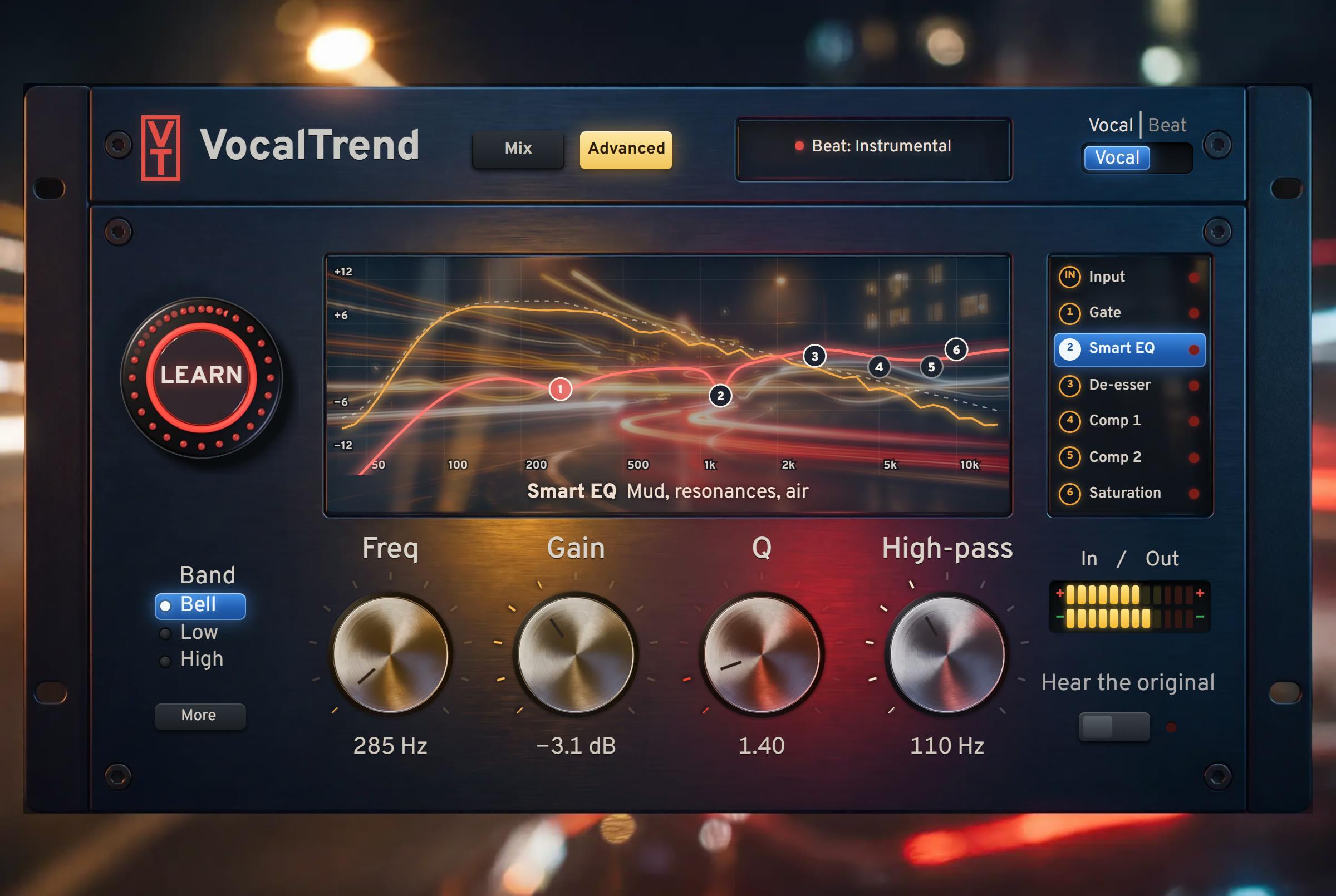
Where VocalTrend fits
VocalTrend listens to your take once and sets the chain in the order above: vocal rider, gate, smart EQ, de-esser, two compressors and saturation. Then you turn four knobs to taste, and every setting stays visible if you want to open it up.